Adam Guzowski has written a neat and clever review of Pulldownit 2 at Evermotion, he shows also some great destruction tests, dont miss it!
http://www.evermotion.org/tutorials/show/7990/pulldownit-review
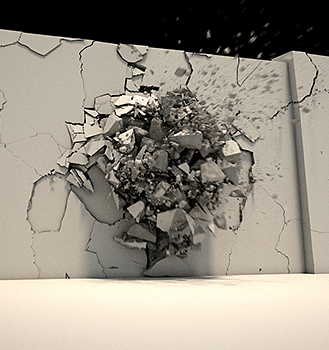
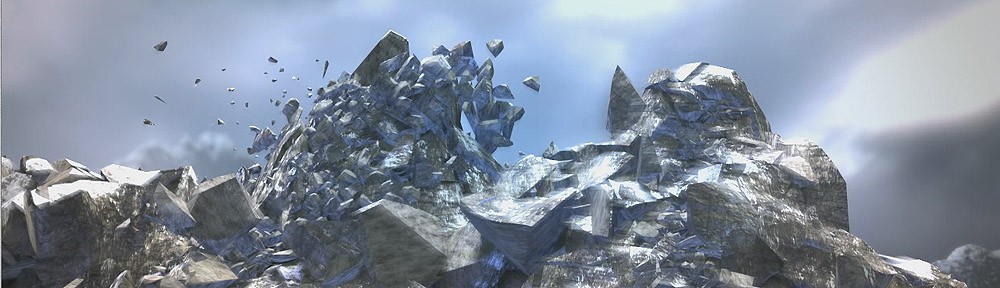

Adam Guzowski has written a neat and clever review of Pulldownit 2 at Evermotion, he shows also some great destruction tests, dont miss it!
http://www.evermotion.org/tutorials/show/7990/pulldownit-review
No worries, Atomium building is still there  , it is just a great CG job by our friend Przem Sacharczuck using Pulldownit plugin in Maya. He kindly explain some details about production in this article.
Well, Im not a theoretician about CG effects and instead talking, I want simple doing it!
I promise to write something about this video, I`ll try to be brief.
This project its my personal challenge, last season I was almost full time spending for testing wide range of simulations so called VFX. Im a fan of all present visual effects in movies, they are improving very fast in last years. I like to know how effects was made, all workshops and making-off`s are very helpfull specially for a begginer in the field.

Actually im training on Autodesk Maya, it is an usefull software able to almost anything in 3D, sadly Maya built-in shatter doesnt work so Pulldownit plugin is a powerfull add-on to Maya for dynamics effects. In last year I was looking for good plugins, but not many working as I wanted, some plugins generated very poor, unnatural shards, some others have issues when computing dynamics. I find Pulldownit is the best destruction tool for Maya so far, it is fast and stable and what is interesting Pdi offers ways to make different ways of breakings, as wood, glass and concrete, it is very flexible for every kind of destruction needed!

About this Atomium project, I prepared it in few ways:
First of all- Im decided to make camera tracking to get more realistic result for scene- environment. I find it getting better result than building all scene from scratch, I needed also some tools for motion tracking & camera tracking. Softwares which offers that possibilities are Matchmover, Boujou and CameraTracker. For best tracking and to avoid any issues in quality of recording scene, this was taken with Canon EOS mkII in full HD quality.
The rest of the project I made mostly In Autodesk –Matchmover, Maya and After Effects for final compositing and color correction.
Finally this scene tooks me quite a lot of time to be done, about Pdi, I had to simulate and check several times for the best way of simulation. About Pdi simulation in Atomium I made 3 levels of shards, meteor, top of Atomium and bottom level. Finally I used advanced Pdi fractures for adjusting breaking resistance in diferent levels.

The rest of effects in Maya also tooks me some time, especially make the cloud blasts. Maya fluids needs lots of Ram and fast graphic card! This scene have two fluid containers which working separately. 1st res. is about 70×3, and for shards very dense about 100x150x70. The flying meteor at the beginning of the clip was made in box~100x150x70 container with 3 different emitters: fire, burn and smoke, It took me some time to adjust emitters for getting the final look I wanted for the wake of the meteor.

For now im freelancer and enthusiastically looking forward 
Enjoy!
Roberto Martin made this impressive destruction shot for his final Maya course project combining Maya particles, fluids and Pulldownit plugin, he tell us some details of production in this article.
Tornado( twister) shot is my final Maya Advanced course project at Trazos School in Spain. My teacher at Trazos warned me that if I planned to do a scene very heavy in terms of “objects dynamics” then using Maya rigid bodies will be surely painful because Autodesk has taken centuries without fix or update it and it takes kind of forever to calculate. My teacher proposed me some plugins which I had seen before in internet, I tried them a little, sadly they were not entirely stable and had a thousand and one parameter to edit, besides I was looking for interaction with force fields like wind or newton, however using those plugins was maybe possible to demolish a wall-brick, but definitively not intended for blowing up a mill or a barn using Maya forces. So I searched Internet and then found Pulldownit , the web-site looked nice so I downloaded the demo version and after some testing I must say t was incredible stable, I’ve got good results very fast so I started to use it.

Regarding the twister itself I made it emitting particles from some NURBS cylinders, the particles moved around the cylinders using simple expressions, just displacing their UV position over the surfaces. After I got the motion I wanted for the particles, I made them emit fluid, the result was good but too uniform., so in order to generate chaos I finally used two different fluids, one of them was controlled by the particles and have no density, and the second was more chaotic but binded to the other, in this way I´ve got some control in its trajectory. I used a density ramp and self-shadow attribute to mix both fluids in render.

For breaking the buildings my first idea was to use a Volume Axis field affecting PDI objects, but after doing some testing I couldn’t get the desired result, then I realized I needed more fields for the tornado effect, one for attracting fragments and another one for spreading them out. As I had near 25.000 objects in scene it was very difficult to adjust fields properly for all of them, so I decided to go little by little, I started with the house, leaving everything else as passive. After getting the house destruction done as I wished, I followed with the mill and then the barn. Finally there were two Volume axis fields for the house destruction and one Vortex and one Newton for the rest.

I made by hand the animation of the truck, because I wanted it to roll and go straight towards the viewer, I animated it independently in a different scene, in this way I avoided all the overhead of the rest of the scene, which was too heavy, then importing the keys into the tornado scene.
I used PDI advanced fractures to set some parts of the fracture bodies more solid and difficult to separate and other much weaker, specially the slates. I set the floor as passive so it doesn’t move, several large thin planks gave me some issues in dynamics, they were crossing the floor or got “hooked” on it, so I had to fix a few keys by hand or simply removing those planks from the scene, the rest went smoothly, behaves quite real and was completely stable in such a heavy scene.

Roberto Martin is already working in the CG insdustry, looking forward new videos from you Roberto whenever you have time!
John Bashyam and friends made this stunning shot combining Pulldownit plugin in Maya and After Effects, he kindly share some details about production below.
I thought it would be fun to create a video of a meteor hitting the clock
tower at my school. So I went out and took some reference photos, and then
began to model the tower in Maya. Once I was finished, I added some basic
textures and then went out to shoot the actual video. After this, I
positioned the virtual camera in the same place as the camera in real life
in order to get the perspective right.

Now came time for the destruction. I was thinking about using the Rayfire
tool for 3ds MAX, but I figured it would be such a hassle to import my
geometry, run it through Rayfire, bake it, and export it back out to Maya.
That is when I came upon PullDownIt, which would do all of this inside of
Maya. I decided to give it a try, and it worked like a charm.

I selected all of the geometry to be destroyed, and fractured them using
the PDI basic fractures tool (I even further fractured a few pieces so that
I would have some tiny shards). I put a ball in the scene which I was going
to replace with a meteor later through compositing and then ran the
simulation, baked it, and rendered out a .png image sequence.

Next, I went into After Effects, imported my image sequence, put it on top
of my original footage, added some more debris, smoke, the meteor, lens
flare, color correction, and all of that good stuff. Note that it only
switches over to the CG tower upon meteor impact.

Since I enjoy using Maya over any other 3d program, it is so great to have
a destruction tool that opens right inside. PullDownIt does a nice job, but
it would be cool to have some dynamic destruction features (fracture on
impact).

I am currently studying Animation at Loyola Marymount University in Los
Angeles, CA.
Thinkinetic will attend FMX 2012, we are glad to meet with you there, if you like an appointment in advance contact us by email, otherwise we are the guys with the THINKINETIC logo printed on our shirt, remember!
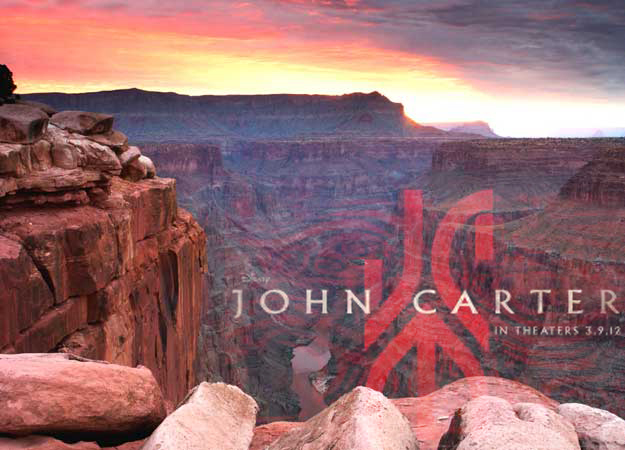
We are proud Pulldownit plugin have been used by Cinesite to create some of the stunning VFX in John Carter of Mars, specially the destrution of the Hellium crystal palace by a Tar’s airship during the wedding of Dejah at the epic end of the film, Pulldownit use is featured in Cinefex issue #129 April.
Congratulations to Cinesite artist for his great work.
Pedro Ivan de Frias tell us some technical details about this impressive clip using Pulldownit in 3d max
MODELING
The Thinkinetic Logo was an easy task to do, just using splines to fit the shape; modeling the mountains instead took a lot of work, using a base 4×4 section and start adding polygons with soft selection to exhaustion, there are other methods using heightlevels with 2D tools images but I wonted and special shape in the central mountain to keep the Logo inside so no other way, when the overall shape was done, I refined everything using sculpting tools in MAX.

SHADERS
For environment mountains I applied procedural shaders, specifically an Arch&Design-Mental Ray material, in this way I got the rock and snow-like details, for the mapping I used Unwrap for achieving the final look.
The central mountain is mapped equally with an Arch&Design-Mental Ray material, but adding 4 composite levels to stress the rock and snow-like details, using Unwrap mapping. For fragments Inner faces I applied first the great PDI “cut material”, in this way I got all these faces differentiated from others after shattering, then I edit this material to include two different procedural shaders, to get the look of wet rock in the interior of the mountain, finally mapped using UvwMap Box.

SHATTERING:
I used the amazing Shatter it tool of PDi for this, first of all I checked “Assign cut material” to get a different shader on inner faces, I needed a dense resolution of fragments to generate nice cracks regarding camera view later, so I started breaking the mountain in just two areas, base and peaks, as I would need much more fragments later in the top area and a few in the base; then I created several splines following the surface of the mountain, and used the incredible PDi path-based shatter to create little fragments all along the paths, to generate nice cracks later in dynamics, finally I got near 5000 fragments on scene.

DYNAMICS:
I set substep 10, it is slower computing but you get more accurate dynamics, using PDI I created a fracture body for the whole mountain, and let parameters by default, I used the crackers objects created by PDI path-based shatter to generate the dynamics cracks on the suface of the mountain, It was not difficult to control the strength of crackers effect using path constraint parameters in MAX panel.
The Thinkinetic logo was too complicated to include it in dynamics, with the different letters and such, so I did a rude dummy with the same overall shape but rounded, and animate it to hit the fragments in the same way the real logo would do, I replaced the dummy for the real model when rendering .

RENDER:
Using Mentalray and LPM render manager, I splitted the scene in four passes, sky, environment mountains, central mountain and logo, each group keeping the lights information of the scene, and composing everything later in postpro.In postpro I added the lightning animating the gamma using different masks for Gamma to isolate some areas and affecting the main models.


Ivan has been involved in the Spanish animated film “Tadeo Jones” recently as Ligthning TD.
Boris Bruchhaus did this impressive clip with Pulldownit in Maya, he kindly shares some details with us.
I did this as a personal project to test out Pulldownit for future work. Firstly, I modeled the tower based on and matching the plate I shot myself a while ago (I used to work in that building). I then fractured the model into about 4000 pieces, grouped together in sections.
The rbd-simulation itself was split up into layers (top windows/first explosion, main building etc.).After several versions the sim was finally cached.
I combined all the animated pieces together with history on (keeps the animation curves), so that I just had one big poly shape to use as an emitter for particles. Based on their velocities the particles are emitting into a fluid-container (resolution 400x100x100) to create the main dust/smoke. Additionally I also emitted particles from the debris to use as instanced small-debris (about 45.000 pieces).

After a while the scene, looked through the shotcam, got a
bit messy, so I just added another cam to capture the simulation from a more total-perspective.

I rendered the smoke (with holdout from the debris), the debris and the instanced particles independently and comped everything back together in Nuke (very rough)
Pulldownit is already a great destruction tool. I miss the ability to add more complex edges, believe me Pdi is “solid rock” stable computing, I think adding some more scripting/event-based possibilities would be very useful in production.

Boris currently works at MPC in London as a FX Lead TD
Hey, no worries, it isnt real at all, actually Luis Tejeda did this impressive scene with Pulldownit in 3D Max, in this article, he kindly share some details with us.
After the success with the winegalss breaking test, I decided to try something bigger with Pulldownit to test the real power of this amazing plugin.
I wanted to portray a scene of destruction as credible as possible by using a real world model. I decided to recreate Saint Pancras Station in London. It is an emblematic train station, which connects the European continent with the British Islands through a huge tunnel. I liked it and I thought it was a great candidate for my clip. Sadly I relied on just one machine to do this work, so I tried to keep the project as simple as possible by removing local lighting and some geometric details. Nonetheless, the model of the station isn’t low-poly at all, hopefully resembling the intricate look of the real station.
I used an Intel i7 quad, 8 Gb ram machine, with an Nvidia Quadro FX3800 card. I must say with Pulldownit I did all the destruction work in less than 10 minutes. It was very easy to use. I’m practically a beginner with Pdi but everything went very smoothly.

You can see several metal beams in the ceiling being destroyed, also some glass panels explode and finally a long crack is created all along the platform. I used Shatter it tool to pre-fracture all these, except the beams. This is because I wanted them to break as single crossbars rather than in clusters, so I simply created fracture models for the beams’ geometry. I think the end result looks more real by breaking them this way.
The ceiling of Saint Pancras is a kind of industrial glass so I used a radial shatter style to get the best glass breaking effect when the meteor hits. In reality, the meteor I used for this shot was much bigger than the one shown. This way I was able to get bigger potency thus making the effect much more impressive. I simply hid it from the screen and displayed the smaller one instead. In the end it looks like the small meteor generates the shock waves, which give way to the rest of the wreckage. In addition, the ceiling is resting on hidden walls to keep it steady until first impact.
For the three exploding glass panels I used uniform shattering. They break upon impact with the meteor; it was a straightforward task in dynamics. The platform floor next to the panels also has uniform shatter, but since I wanted some fragments to remain intact, I used Pdi advanced fractures to set which fragments should break and which not.

To create the dynamic crack on the floor I used path-based shatter. This is a great feature of Pdi. It consists of a small sphere that moves along the fragments, cracking them like a little earthquake, very impressive. As a final touch I added a forgotten suitcase that interacts with the cracks and then falls into the gap when it topples over. I think it gives the scene a bit more drama and it was very easy to do.
Dust was added in postpro using a plugin for After Effects called “Trapcode Particular”. I wanted all the destruction effects to be clearly visible so I added only a soft dust layer. Trapcode worked great for this, it allowed me to make the dust follow the meteor’s trajectory and also tweak the transparency, luminosity and the intensity of the dust layer. There is a videotutorial about this effect on my own channel: www.youtube.com/3dluistutorials . I also speak more extensively about modeling, shaders, lights and postpro for this clip.


Luis Tejeda is a freelance 3D artist. He is located in Chicago, IL, USA.
If you are interested in his work, you can contact him at: