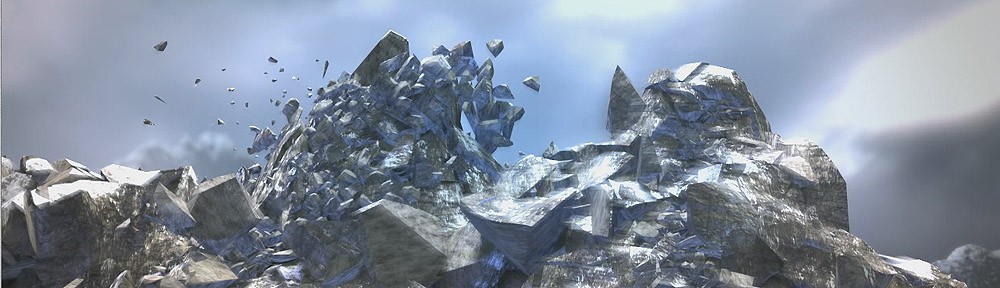
Christoph Saalfeld have achieved a very polished clip of an ancient akropolis destruction using Pulldownit plugin in 3DMax among other tools, here an extensive interview in which the author explains technical details about how the clip was done, thanks for sharing Christoph.
http://vimeo.com/29032719
How did you arrive to the idea of this scene?
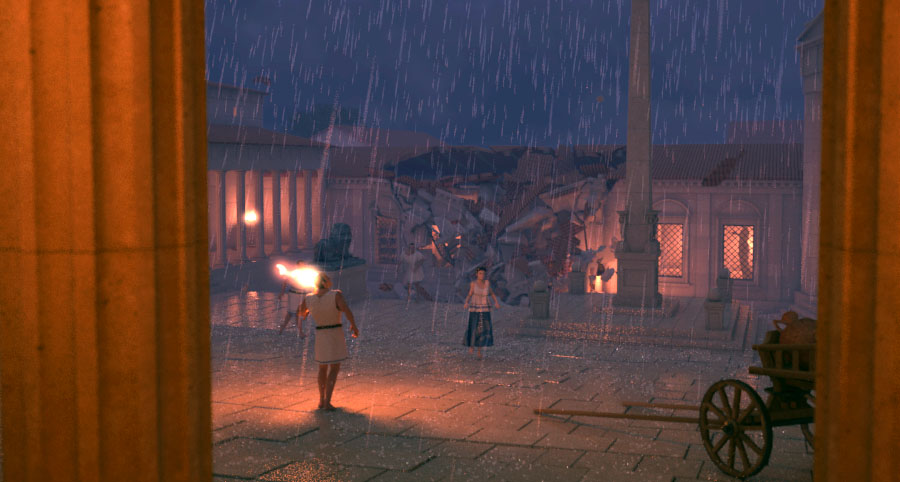
The idea of Acropolis was originally developed out of my initial tests with PullDownIt. I had just heard of it and found out that a demo version was available. So I installed Pdi on my system and of course wanted to blast something right away. Somehow, I had the idea to use a stone pillar as a test object – even a lot of physics tests were made with columns. After I had blown away my column with a ball a couple of times, I placed a second and third pillar in the scene and a few simulations later I had very good results with hundreds of fragments. Somehow I was that much impressed by this test that I have constructed a situation around it. Columns can be found in temples, and as trigger for the destruction I liked the idea of a lightning strike. Furthermore, I always wanted to try to a night situation with rain. In order to be close to the action, I chose the perspective of a handheld camera.

Which tools have you used for making the clip?
Acropolis is one of my spare time projects in which I try to optimize my workflow and expand my knowledge. The whole scene was created in 3ds Max (2010) which is the main tool for me and with which I am most familiar. The scene includes a lot of problems and therefore I also used various tools and plugins to solve these. For example, the character animations were made with Biped that is either driven by hand animations or motion capturing. For the clothing simulations, the Max internal Cloth modifier is used and effects like the rain and the lightning were made in ParticleFlow. For rendering I use V-Ray – it’s a great renderer for global illumination and 3D motion blur, furthermore I can work continuously in a linear workflow and decompose the scene in different render passes due to the V-Ray matte features. With FumeFX I created effects like fire and dust which were calculated with V-Ray in a separate render pass. I also took advantage of PullDownIt for the rigid body dynamics. Especially thanks to FBodys, where objects remain still until an impact occurs, it was easy to create the destructions. At the same time, the possibility to group objects and break them when a certain force exceeds is almost essential for a realistic-looking rigid body simulation.
Which effects was Pulldownit used for?
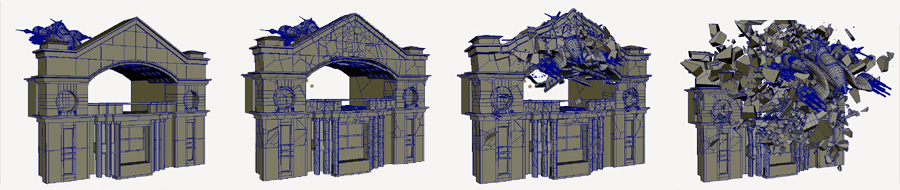
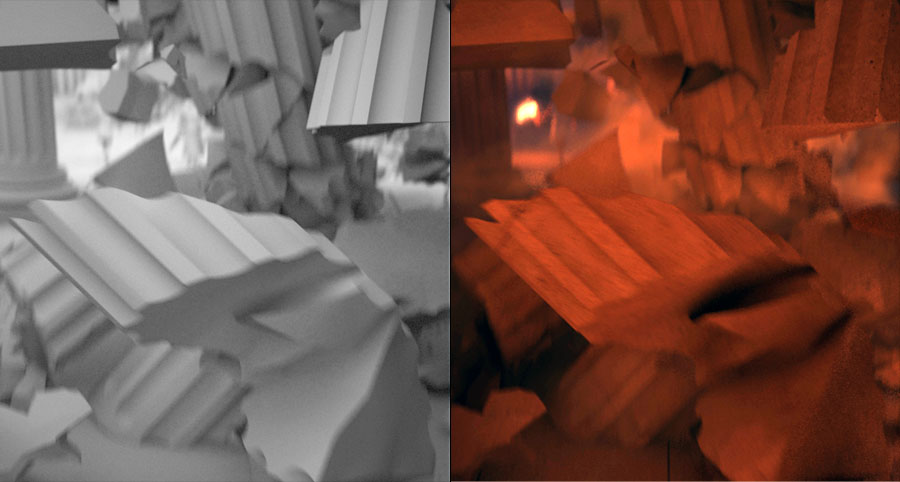
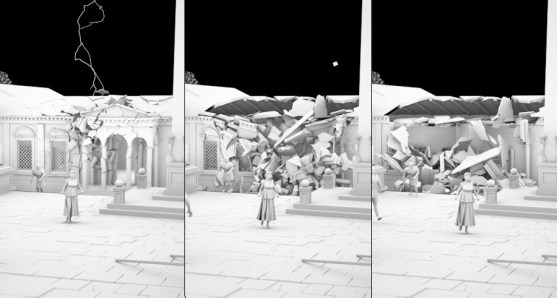
The clip includes two major Pdi simulations. After the first flash, the camera turns and we see how the building in the background partly collapses. The second lightning hits one of the pillars at the entrance to the Acropolis and throws large pieces against the pillar behind it so that this one is breaking also. After missing the support of the columns, quite a bit of the roof structure drops down and breaks the pillars into even smaller pieces.
After the modelling and texturing of the set is completed, I copy the objects needed for the simulation into a new file and then work there on the facturing and physics simulation. I find this very convenient since the Max scene is getting smaller again. Here I created the necessary low-poly collision objects and the fracture parts. Then I optimize the settings of PullDownIt specific to this situation and the selected camera angle. After all the basic properties like the “bounding volume”, “Passive or Cached” and the fracture bodys are declared, Pdi already created a good animation with the default values. But this can still be improved with further fine tuning. So I put a bigger mass value on very large fragments and increased the friction of the collision objects to suppress the slipping of the stones. However, the most important values are Hardness and Clusterize for the individual FBodys. In order to achieve a nice fragmented blast, I took advantage of Hardness 40 and Clusterize 70 %. One of the most recent changes was to increase the gravity to match the speed of the falling objects with the dynamic of the shot. For the final simulation, I used 25 sub-samples which was still simulating quickly with more than a thousand objects. After I was satisfied with the results, I was able to merge all the pieces including the baked animations back into my main scene. There I moved the whole thing on the timeline so that it starts at the right moment.

How did you combine dust & debris?
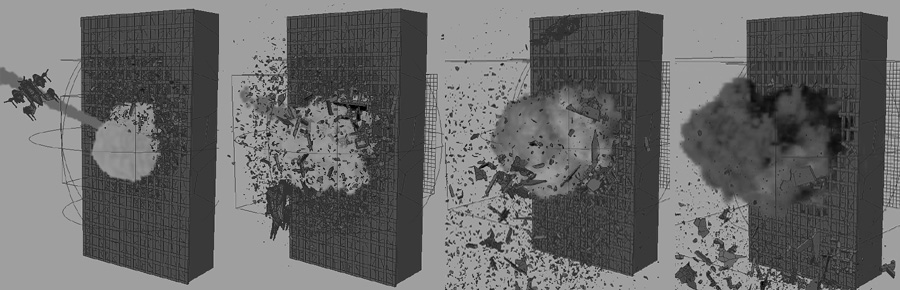
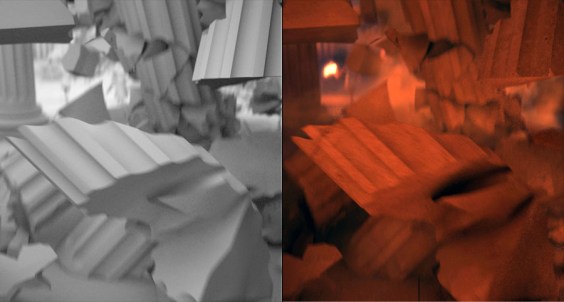
It’s actually relatively easy to produce a matching dust to a finished simulation. I have divided the dust into two fluid simulations which are rendered in one pass. The first FumeFX container creates some thin dust while the debris is falling down. To do this, the fragments are used as emitter in a position object operator in ParticleFlow. The lock on emitter function makes sure that these particles move with the objects. With a spawn by travel distance test, new particles are produced when the pieces are moving. This event can be used in FumeFX with a particle emitter as a starting point for a smoke simulation. The dust cloud that is produced when the debris hit the ground is working quite similar, expect that a collision test was used instead of a Spawn by travel. The invisible collision plane should be located slightly above the actual floor, so that the particles locked on the fragments can penetrate it. I have used a second container for this ground dust, so I can change the properties of the dust and make it much thicker and slower. When I make a render pass for these dust effects I leave all objects as matte objects in the scene. With a separated pass the dust can then be edited very well in the compositing.
The shot looks like camera on hand, how did you animate the camera?
The camera work is – as I call it – a character-driven camera. For this, a simple CAT rig (the base human) is running through my set. I don’t put much effort in the character animation, I only use two of the Motion presets delivered with CAT (GameCharRun and GameCharWalk). I am switching between these presets according to the speed I need. In the CATMotion layer a path constraint helper is picked that gives the Char a spot to follow and with the ground object picked, CAT is generating the footprints automatically. Even if I had to rebuild my ground as one object again, the rest of the character animation is working almost automatically or by simple animation of the path node. The camera is linked to the head of this rig so you got that swing that occurs when running. The camera target is a little more difficult to control. I’m using three point helpers for various effects, another point helper is position constraint between these three and transmits its position to the target camera. The first point helper, located at some distance (directly in the viewing direction of the character), is linked to the head of the Char. The second point is in a free standing position and can be animated by hand in order to manually control the view. The last point is linked to the second one and includes a noise controller which produces camera shakes. In the Position Constraint of the last helper all the weightings can be animated, so you can choose which point affects the target and to what extent.

Tell us your feelings about Pulldownit at this moment, even wishes about future development.
PullDownIt is a great plugin that can create good rigid body simulations, especially in a very short time. I am fascinated by the accuracy of the collisions and the stability with a lot of objects. The progress to set up a simulation is simple and clear, the values are almost explained by itself. For me, the best features are the possibilities of FracturBodys and StressMaps, but also the built-in shatter system is pretty good. PullDownIt is definitely an alternative to Reactor and PhysX. For further developments, I can imagine another shatter style that creates very irregular shapes, for example.
Tell us a little about yourself, your background, future projects.
Hi, I’m Christoph Saalfeld, but actually everybody calls me “Sali”. I’m 27 years old and I have been working with 3ds Max for over 7 years now. I’ve studied Multimedia | Virtual Reality-Design at the University of Art and Design in Halle (Germany). For the last 3 years I have been working as 3D-Artist in the media department of a large construction company. Here I am mainly working on 3D animations for museums and architectural visualizations. But my personal passion belongs to visual effects and character animation, and therefore I work in my spare time on small video clips with a little more action. At the moment I am building a shot called “Randy’s”, where some super heroes will create some chaos. Two larger PullDownIt simulations will also be included here. In the longer term, I am planning an animated short film about one of my favourite fights from Dragon Ball Z. Of course, I have a small blog (www.intervirtual.de), where I’m documenting my work. I would be pleased if you find the time to stop by.