Televisor studio and ColorTV created this thrilling intro for Deadfall Adventures, game by Nordic Games, official launch. They confirmed Pulldownit plugin was used in the jungle plane scene:
One of the most spectacular scenes is the plane flying towards the camera. The number of elements we had to generate for this scene was overwhelming. You can see the amount of work that had to be put into this scene on the “making of” material. We used the Pulldownit plug-in http://www.pulldownit.com to crash the trees, which saved us a lot of time and workload.
Pdi creates a default cut material in inner faces, this is very useful to apply displacement or bump to these faces only, you have to replace this material for the one you prefer and then for mapping it in all cut faces at once just do the following:
In Maya open HyperShade and right mouse click on the PDI Cut Material icon, then “select objects with material” in the box dialog, Create UVs->automatic mapping ussually get good results, but you can try any mapping method you like.
In 3dMax, after shattering select all fragments and apply “edit mesh” or “edit poly” modifier to them, then select the cut faces by ID and apply whatever uvw mapping you like, ussually box mapping is nice.
Pulldownit updates to v 3.3 fixing several issues of release 3.0, this update is available in the costumers area, after download it you have to replace the current plugin for the new one.
FIXES for Maya plugin:
Added warning when shattering and active layer is hidden
Fixed local shatter width parameter not working for some models
Fixed preview mode points disappears in close view
Fixed local shatter align fragments on cortners
Fixed animated fracture bodies fails when animated node diferent than original shape
Fixed path based preview points miss the last knot
Fixed objects with pdiRigidBodies attached blocks preview mode
Fixed single pdiRigidBodies arent deleted when shattering in preview mode
Fixed Force fields ignores breakable parameters of clusters
Fixed shatter fails in Maya when objects are grouped
Fixed objects pass through grid when scene scale is very large
Fixed cannot shatter several objects at once
FIXES for 3DS Max plugin:
Added set object layer for shattering when current layer is hidden
Fixed local shatter width parameter not working for some models
Fixed local shatter align fragments on cortners
Fixed Voronoi modifier not deleted after deleting all pdi entities
Fixed anim fracture bodies fails when animated node diferent than original shape
Fixed path based preview points miss the last knot
Fixed weird dynamics after loading a scene in Max first time playing.
Fixed Force fields ignores breakable parameters of clusters
Fixed Max crash after loading a scene with jagginess applied
Fixed Max crash when hit play buttom from the tool bar and Pulldownit plugin isnt active
No worries, this is just a great shot by Johan Halleröd using Pulldownit, he kindly explains many details here.
First off – I am not that particularly fond of flying due to an incident when I was young, so analyzing myself this might very well have been a plain therapy-thing. But the major reason for spending three weeks on a non-profit 3D project with this magic plug-in I had never before heard of, is actually because of a friend of mine. I had made an animation with another plane passing over the same bay. I simply let this plane blow up in a burst of smoke and flames…he was not the least impressed claiming he was missing debris.
The Plane Model
The plane model I decided to use for this project is a Hercules US C 130. I didn`t model it myself but I chose it because of it`s monstrous appearance. I wanted the impact to feel heavy and serious thus it`s more relevant to use a Hercules than a Cessna. It`s also prop-driven which adds interesting fractions on impact.
And for the environment: First I filmed and 3D-tracked a clean-plate from my apartment window, using a DSLR cam with high shutter speed to reduce motion blur thereby getting a better tracking result. To complete the whole scene, I had to split it up in several parts. (naturally) Breaking the Plane
I realised that my model had way too many polygons for a smooth workflow, so I carefully reduced the amount using Max`s ProOpimizer without deforming the model too heavily. Luckily the plane is pretty far from the camera and I was about to blow it up anyway so…
The mesh was then fragmented part by part using the `Uniform Shatter` and `Wood Splinters` in Shatter tool of Pulldownit, (wings, body, interior) to make the impact look right. It`s unbelievably tempting to use Pdi for completely atomizing the poor Hercules-thing as it plunges to the ground, but I got a grip on myself letting the cockpit and the wings maintain close to intact and preserving the interior cargo so there would be something left to blow up after crashing.
The falldown-process was done in a perhaps unorthodox way by placing the plane out of frame and then using the `Initial velocity` x-parameter in Pdi to force the plane horizontally, the gravity to make it fall down on the right spot and the `Initial Spin`-parameters for banking and pitching slightly. For fine-tuning the fragments upon impact and make them behave as I wanted, I adjusted the `Hardness` and `Clusterize` parameters ; notice the props bouncing off on the ice, pretty neat I think. I also found the `Linear damping` and `Friction` parameters of PDi very handy to make the plane drop and stop spot on.
Exploding Fragments
Now, to make the plane explode with the right chunks taking off in the right directions and with the right dimensions (more and smaller pieces), I had to re-shatter parts of the model. I saved the 3DMax-project as “Part 2” and at the plane`s initial position thoroughly I re-shattered the bits and pieces I wanted to trigger the explosion, i.e cockpit, wings, fuselage and a few more. Then I placed a spherical PBomb , making sure were affected by force fields in Pdi, slightly to the left of the fuselage midpoint, trying to make the plane`s front parts take off towards the habitation, the houses in the back, and after some tweaking they did.
This “part 2”-clip was carefully edited on to the impact-part in After Effects. For the final wings wing-thud, I simply manually animated a separate tail wing not affected by the force field. I had even planned for it when filming the clean-plate by chicken-ducking the camera as the wing comes towards me.
Adding Dust & Smoke
The final compositing was made in After Effects, adding stock shots of rock debris, dust waves, sparks, flames, explosions and also some basic 3d smoke from Particular. As usual, adding real elements ie. stock footage, to a CGI always adds realism and I used a total of 15 different shots but for some reason the humongous apocalypse-bomb at the end…is CGI. Don`t ask me why. As a matter of fact, I am not too proud of the first frames of the explosion when plane parts exit the flame, I just couldn`t get it right…or maybe I was hungry and didn`t care. But if you take a look at the first impact of the crash when the rear cracks open, there are plenty of things going on in terms of stock footage which adds realism; steam pours out from the cargo and bundles of 100 dollar bills ( I guess), falls out of the wreck, pretty real to me.
Mixing Cg and real footage
To make CGI and live footage work convincing together, they need to get married. First and foremost you want a rock solid 3D-track, this became a problem for me since I was using a shaky hand camera. I used “Boujou” that was installed on the computer I worked on. Second; as mentioned, real world stock footage. Delicately adding authentic smoke, fire, debris and what not, tends to fade the boundaries between real and binary world. So does final grading.
Conclusions
The conductor of this Hercules-symphony is clearly Pulldownit! I had no experience of using it before, but as soon as I started experimenting and tweaking the settings, I found it very intuitive. The mission itself was pretty basic: You have your model, now make it fall down and break apart. The trick lies in selling the shot without people reflecting on the technique behind it, and that`s what makes Pulldownit so brilliant – it`s easy to master, you can get stunning results with very good dynamics and I have only just scratched the surface.
Esteban Cuesta has done a great tutorial about cracking ground and breaking obstacles with an animated object using latest version of Pulldownit in 3d Max and also in Maya
Andres de Mingo explains how he broke the animated Golem in dynamics and other technical details about this funny shot.
Modeling the environment
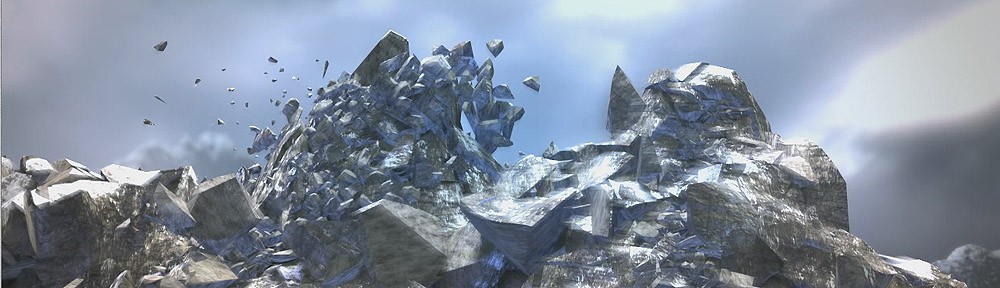
The environment of the scene was modeled in 3d Max using polygonals modifiers and adding roughness to the mountains in ZBrush, for not increasing too much the poly count, I applied the changes as a normal map when coming back to 3D Max.
Shading was applied using the Polypaint tool of ZBrush using several HD pictures of stones as a basis. For the little stones here and there I used a particle system in 3d Max to spread them over the ground and instancing them as geometry. The sky is a simple plane with an animated FFD modifier to get the feeling of clouds are moving on the background.
Modeling the Golem
I started modeling the Golem in Max creating a low poly version of the overall shape. I had to convert this solid shape in another one made of different size stones, my first idea was using shatter it tool for doing it, uniform shatter style of PDI worked well however I wanted the fragments on the hands and feet of the golem to look like fingers and this wasn’t possible using Shatter it, besides I liked the Golem to be hollow inside to enhance the feeling of weakness when it breaks, so I figured out a different way. I took the bigger fragments generated by Shatter it on the surface for only one side of the character, making them thinner and flat, modifying its shape when necessary. That was a patience job but I got a good cover of large flat stones.
Mirroring this side of the character I got the whole model covered by stones nicely, I had just to fix a few stones on the middle for not interpenetrating each other. There were still a few little holes over the surface, to fix it I generated some particles over the holes and instanced them as geometry to cover these little areas.
After unwrapping the model I exported it to Zbrush for adding surface detail and texturing it, I used the great Polypaint tool of Zbrush for texturing it.Once again in Max, I built the rigging to can animate the Golem, I did a simple system of bones with IK Handlers, grouping the stones and linking the groups to the nearest bones.
Breaking the Golem in Dynamics
At this point I had a character made of 400 pieces, rigged and animated and I wanted the arms to break when hitting the rock in the middle. First thing I did was reshattering the pieces on the arms in about 5 shards each one to get more fragments when breaking it. I set the rock as a static convex PDi rigid body, the ground as PDi static mesh and selecting all fragments of the character I created a fracture body for it.
When simulating the scene, computation was very slow, checking the scene I discovered my ground was a high tessellate plane made of about 500000 faces! I applied a multires modifier to it cutting down the faces count to just 5000 while topology was preserved pretty well. After Updating the new ground object in PDi the simulation was much faster, however the arm of the character did strange motions when breaking and the whole character started to collapse too soon.
I decided to set up the simulation again with only the right arm of the golem in dynamics and of course the rock, after some testing I discovered that the problem was the arm motion was too fast for computing dynamics correctly, so I simply rescaled the time for making the animation 10 times slower, and this time it worked perfectly so adding the ground to Pdi and computing again I got the right arm breaking nicely.
I followed the same strategy for breaking the other arm and the chest, that is, I deleted all current Pdi bodies, setting the left arm in dynamics and simulating it along with the rock and the ground, doing in the same way for the chest of the golem after that. To take in account the flying fragments could eventually collide with those already on the ground, I set those fragments as kinematic Pdi bodies aswell.
When all the destruction job was done, I simply rescaled the time again to be 10 times faster for coming back to my original timing. But after doing it some fragments were trembling strangely over the ground so I had to cut off its motion by hand deleting its keys after the frame I wanted them to keep still. Finally I wanted the head of the Golem to bounce and roll towards the camera after breaking, for this I removed the parenting of the head and set it as a pdi body of type capsule, it was easy to make it rolling by assigning it a suited initial velocity.
Conclusions
I know breaking an animated character in dynamics is a difficult task with any tool. Pdi behaved well for shattering and dynamics, Im happy with the final result , however the setup of the scene was plenty of issues, like having to perform the simulation in 3 diferent steps. Pulldownit is an excellent plugin I wish it improves in the future to break animated characters more easily.
RenderOut issue #18 includes Battle London Case Study translated to Spanish, this amazing shot by Igor Gozalez won the last VFX learning internet contest,
Pulldownit plugin was used extensively int he making of the shot along with Maya fluids, worth to read the full article!
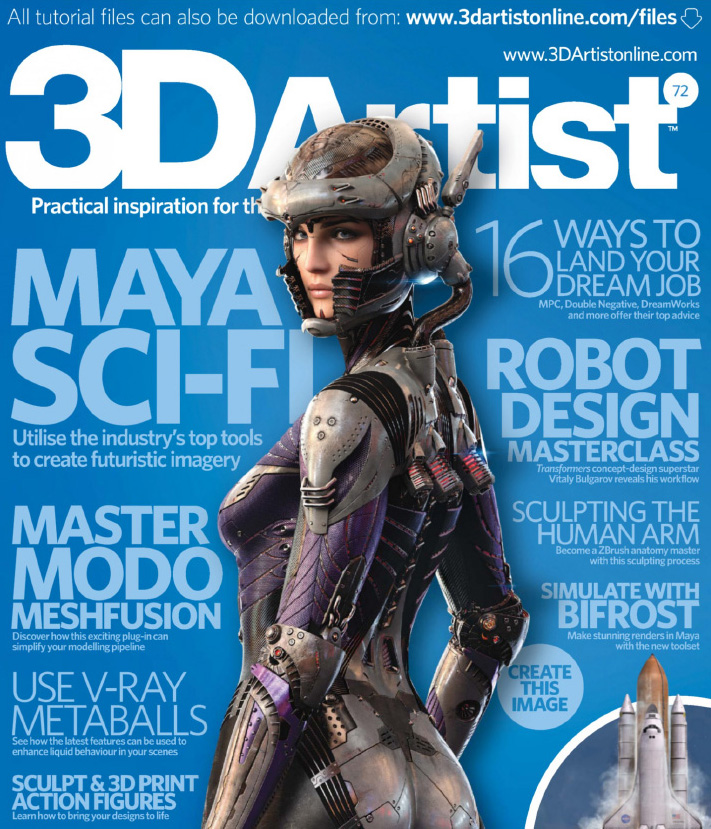
3DArtist issue #72 includes a review of Pulldownit plugin by Aldo Vicente, he makes several tests and the final score is 9/10, thats great, althought anyone using Pulldownit knows it is an excellent tool:)
The Magazine is plenty of other interesting articles and tutorials, dont miss it!
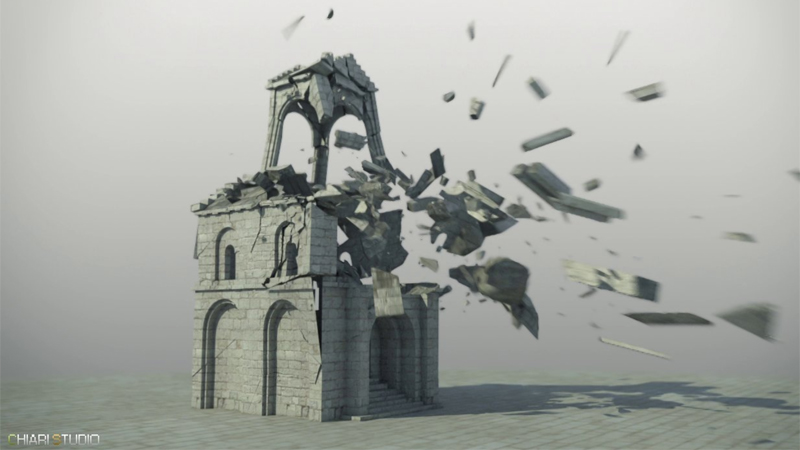
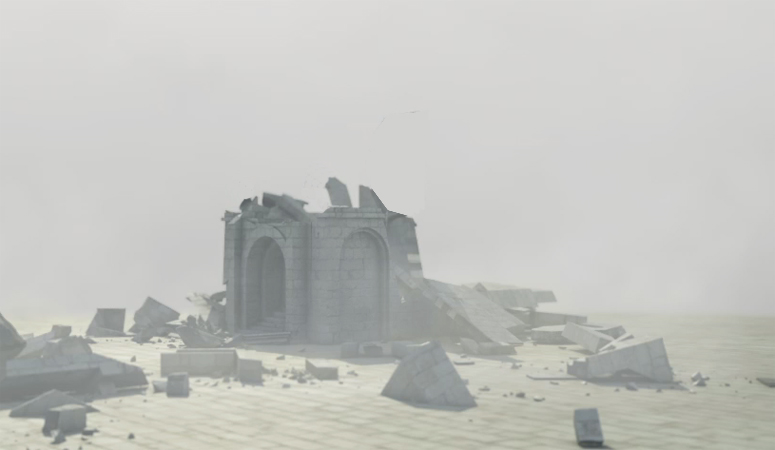
Julien Chiari tell us his experience using Pulldownit and Phoenix plugins in 3dMax for his destruction tests inspired by Minas Tirith. It is a good idea to make some tests before going to something bigger and with Pulldownit you can do your previz destruction fast and easy as Julien explains below.
When seeing “The Return of the King” by the great Peter Jackson, the destruction scenes of Minas Tirith environment impressed me a lot, so a little later I decided to create a destruction scene in the same spirit, and at the same time testing Pulldownit plugin in 3d Max which looked like the perfect tool to do it.
Modelling & Texturing
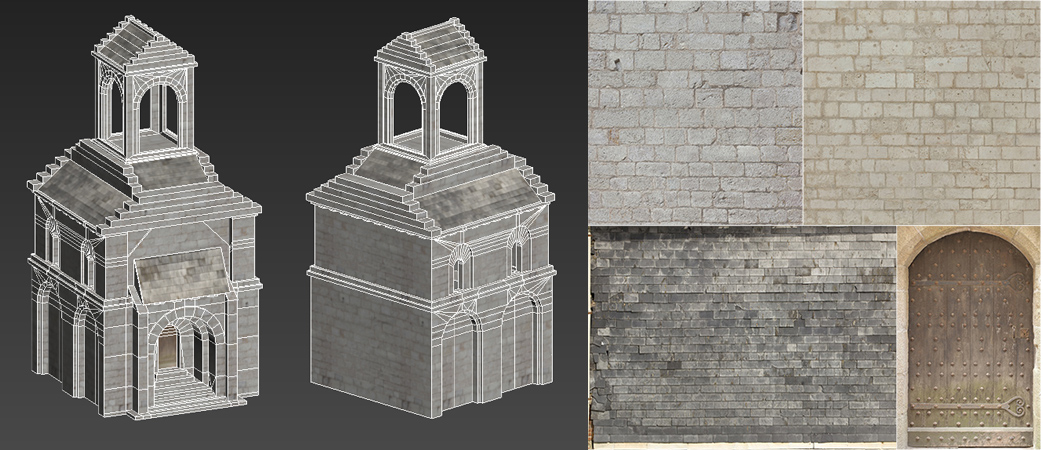
Using screen captures of the movie as references, for creating the building I started from a box primitive converting it to a polyobject and building the shape step by step using poly modifiers; given that the model was going to break, I was especially careful with topology, not open edges and such, and also keep poly count low for faster computations, at the end the model was about 2500 faces, I created shaders and VRay materials from HD textures found on the site cgtextures.com, great site to find textures by the way.
Shattering the geometry
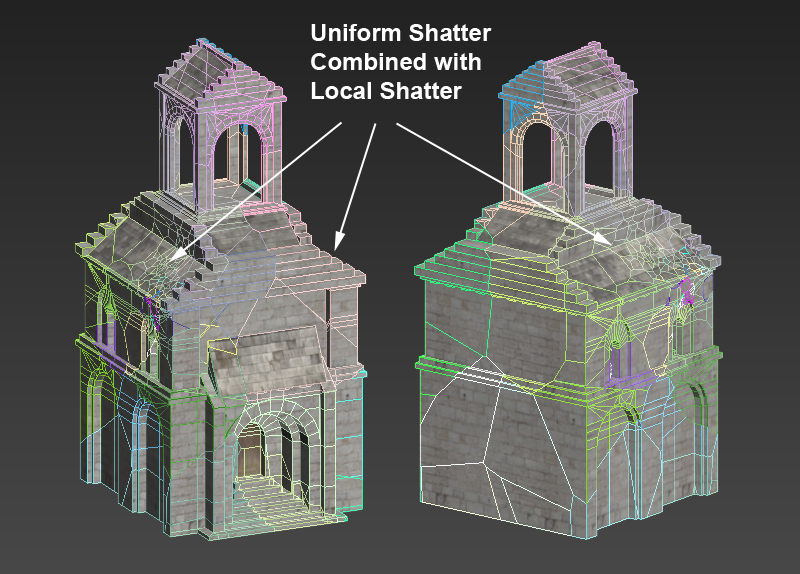
I started applying an uniform shatter to the whole building, PDI did it perfectly at once, even the tower and the complex geometry in the main door were shattered correctly and almost instant, pretty impressing. After that I added more fragments in the area of impact with the impact stone using local shatter, after a few seconds PDi had generated about 560 nice fragments from the original solid model.
Just after that I added PDI Jagginess to the fragments with a resolution of 2 to keep the poly count as low as possible but still increasing the realism of the fragments, this is one of my favorites features of PDI.
Computing Dynamics
I created a PDI dynamic body for the impact stone, to make It move fast I simply added a large initial velocity and spin in PDi dynamics properties. Besides I created a fracture body for the whole building. I set quality medium for the tests as it was still pretty fast computing, using a core i7 with 16GB RAM, it took about 4 min to compute 250 frames of simulation, this nice speed allowed me to perform several tests with different parameters until achieving the desired look with ease.
Adding smoke
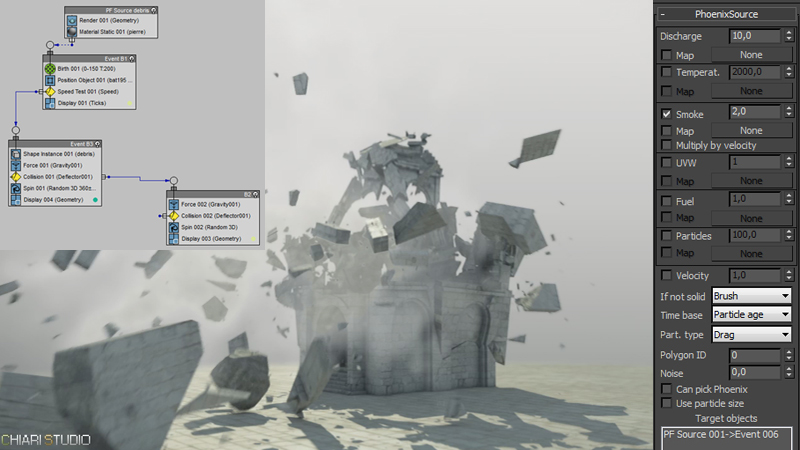
In order to add smoke to the destruction scene I have used the plugin PhoenixFD. For doing it I used a Pflow chart to emit particles from the fragments only when they reach a certain speed, for getting this the event 6 of the PF source was used as target for a PHXSource node.
Conclusions
In my experience Pulldownit is a powerful and easy to use plugin and very stable. The set of parameters allows getting fine control over the simulation, moreover it is fast computing. I will continue using it in my projects as after the tests, I have been definitively seduced by its stability, speed, simplicity and the quality of dynamics I`ve got.
About the author
Hi everyone my name is Julien Chiari, Im a 3D generalist currently living in south of France. I have got my degree at SupInfoCom Valenciennes, after that I have been working in videogames like Vrally, Roland Garros 98 or Test Drive Unlimited, since year 2000 I work as freelance in different projects. My web sites:
Pulldownit updates to v 3.1 fixing several issues of release 3.0, this update is available in the costumers area, after download it you have to replace the current plugin for the new one.
FIXES for Maya plugin:
Fixed UI crackers params doesnt get disabled for disabled crackers.
Fixed computation slow down with radial shatter
Fixed pdiCutmat duplicated in hypershade
Fixed texture get lost after shattering
Fixed undo last get the current cut material lost
Fixed apply jagginess fails when object has pdi body attached
Fixed floating license not loading with proxy option
Fixed large clusters incorrect bounces in dynamics
Added fragments attached to bones can break
FIXES for 3d Max plugin:
Fixed UI crackers params doesnt get disabled for disabled crackers.
Fixed Max crash doing scene new
Fixed Max crash when undo after shattering
Fixed floating license not loading with proxy option
Fixed large clusters incorrect bounces in dynamics


 KineticThoughts