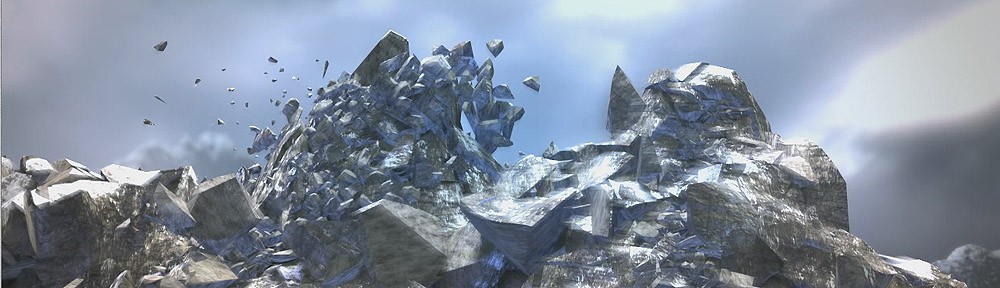
Pulldownit 6 for 3ds Max released

Pulldownit 6 for 3ds Max is here!

This new version of the plugin is focused on fast and easy fractures refinement to get polished destruction effects of your model quickly.

We are thrilled to announce Pulldownit plug-in gets a non-destructive workflow in 3ds Max, allowing to sculpt fractures over the model freely, visually shattering it in the areas you want and computing dynamics right away, or changing the original model position, orientation, scale or shape and all existing fractures will update accordingly, 3ds Max modifiers are supported.

In the same line we introduce a new Edge Fracture Tool to easily chipping inner borders of selected fragments, the tool works in an interactive way, simply selecting fragments in viewport to shatter its edges and play the result, you can recover the original breakage at any moment to start again.

Replace cut material can now be done at any stage of the destruction scene, even after baking simulation keys and it supports jaggy fragments, in addition a different base color is set for the new material created to easily check the fragments affected.

PDI Alembic exporter has been revamped, now it is able to export thousands of objects as a single Alembic mesh in seconds. In addition, PDI auto-loads the Alembic file in the 3ds Max scene after export , you can check it, apply original shaders to it, and if needed recover original geometry nodes just by deleting the Alembic mesh.

There are several other performance and usability improvements you can review below and you can check the whole list of fixes in the Pulldownit version logs page:

Read the full list of fixes in the Pulldownit web site version logs

Licensed users can already access Pulldownit 6.0 from his account and there is a demo version for 3ds Max 2026 in the Thinkinetic web site.

New Non-Destructive shatter workflow, shatter pattern can be modified in any way and recompute dynamics right away, change the original model position, orientation, scale and 3ds Max modifiers are supported.

New Edge Fracture Tool, this new tool allows to visually chipping on inner borders of selected fragments, it works in an interactive way , you can reshatter fragments and play the simulation right away, undo last operation or recover the original breakage at any moment.
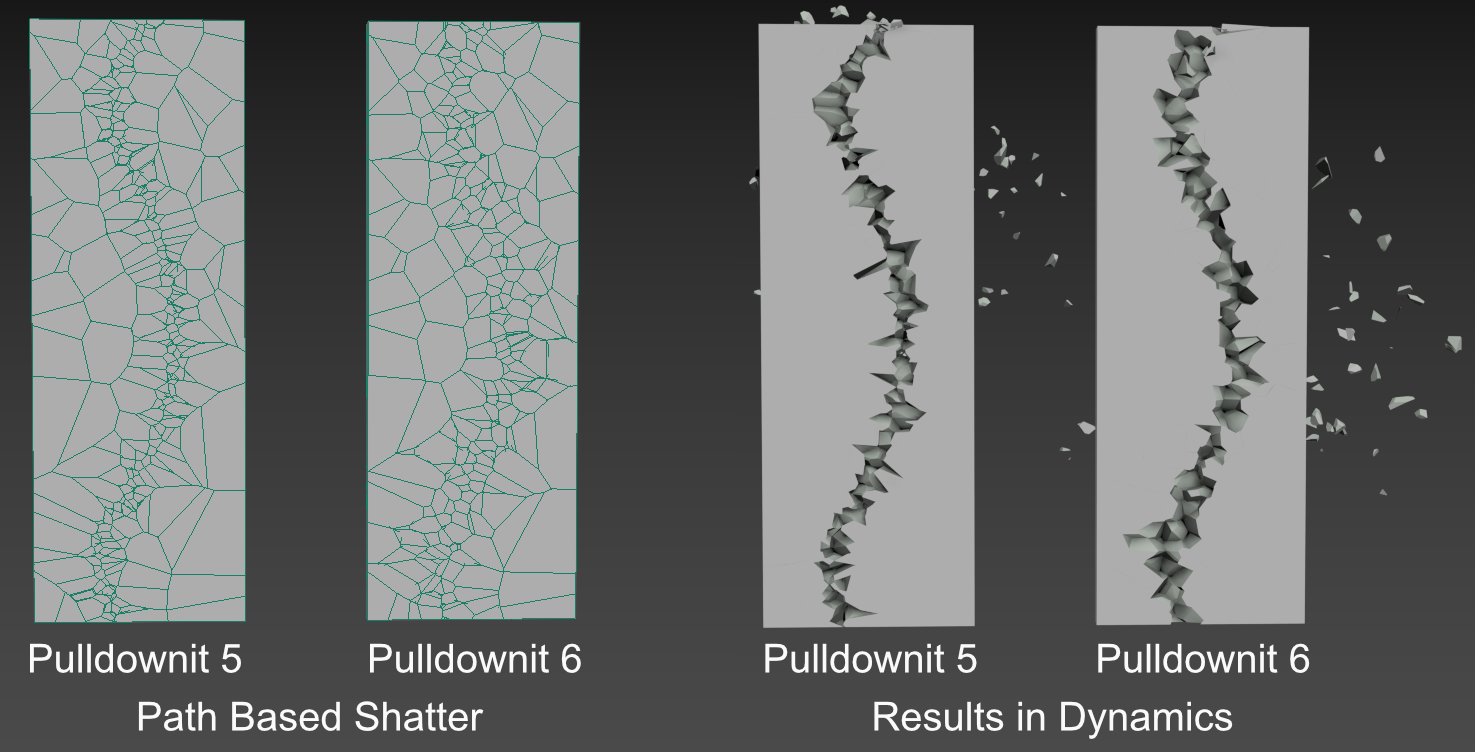
Improved path based shatter quality, path based shatter now generates rounded shards across the path, producing more realistic results in dynamics for stone-like materials.

Auto replace cut material supports jaggy fragments, replace cut material can now be done at any stage of the destruction scene, it affects the selected shatter group only, jaggy fragments and baked fracture objects are supported, in addition it sets a different base color for the new material making the checking of fragments affected much easier.

Improved Clusterize pattern, clusterize parameter now generates nonaligned clusters getting more realistic fracture results, besides falling Fracture Bodies are now forced to break in the area of collision with static surfaces without the need of further adjustment.

Fracture Body “Relative to Mass” now adjust to “hardness”, getting easily more debris in impact areas just by making the model more brittle.

New cluster option “Excluded from Cracks Propagation”, this new parameter forces the cluster to break upon direct collision only, preventing it to be detached in advance because of cracks propagation or force fields affecting the whole fracture body.

New cluster option “Relative to Mass”, enabling this option clusters involving small and large fragments prefers to break in the chipping areas first, this option is now the default for clusters creation.

Alembic exporter 20x faster, export fracture simulation to Alembic now takes just a few seconds even for thousands of objects involved

Cut Material color auto change after Make New, replacing a shatter group material now sets a different color for the new material created so you can easily differentiate it from the old one.

Added “Bake All” option to PDI Simulation tab, this new option allows you to bake all PDI bodies in scene at once, removing all PDI data and letting only animation keys in the scene.

Added progress bar to Alembic exporter.
Pulldownit 6 for Maya Sneak Peek

Pulldownit 6 is coming soon, among other useful improvements we are glad to announce a new Edge Fracture Tool which creates debris on borders of selected fragments, this new tool works in an interactive way and is non-destructive so you can apply it at any stage of the destruction scene before baking animation keys. In addition,  you can easily watch the amount of fragments generated to prevent running over your polygon budget specially for real time VFX. Look at Edge Fracture feature in action in this demo video:

Pulldownit 6 will be released in the following weeks and licensed users will count with  free upgrade from v5.x.

Choosing Leaning Direction before Breaking

This post is an extension of the “Cracking an Ancient Statue “ tutorial you can find here:

Some users has asked if it is possible to decide the leaning direction of a model before breaking it completely with Pulldownit; the answer is yes, you can do it  and very easily.

For choosing the leaning direction you have simply to select the fracture object in PDI Basic Fractures tab,  then go to Fractures->Dynamic Properties tab and set initial velocity according to your desired leaning direction, that’s all.

If your initial velocity parameter is greyed out you have to set Basic Fractures->Activation to “at frame” or “At first hit” to enable it. Here a demo video of the effect:

Notice the bigger initial velocity, the leaning will be faster, so better to set it to small values to get a natural motion of the model.

Cracking a Moai statue with Pulldownit 5

Ideaform3d has published a nice tutorial showcasing Pulldownit new bounded cracks feature. The tutorial shows step by step how to create a crack along a Moai statue all inside Maya 2022 using PDI plugin,

Project files can be downloaded by clicking in the link included in the text of the tutorial below,

Ideaform3d is a youtube channel featuring nice and easy to follow tutorials showcasing useful plugins and scripts for Maya, 3dsMax and After Effects, worth to check it!

visit Ideaform3d Channel

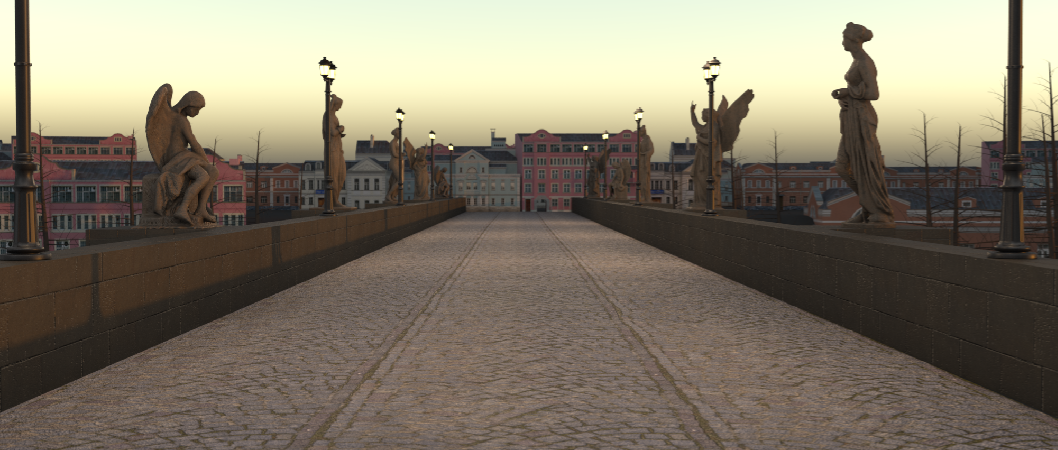
Ancient Bridge earthquake by Andres de Mingo

Andres de Mingo,  author of this striking shot, kindly explains us how he did the dynamics effects using Pulldownit plugin inside 3ds Max.

I love those ancient bridges in Center Europe, with its old stones and statues plenty of history, I thought it would be dramatic seeing it being affected by a earthquake and tried to depict it in this little VFX project.

Cracking the bridge

The platform of the bridge is actually a large thin box textured with a combination of paving stones  and a grass shaders, I drawed a long 3ds max spline over the box and then used Shatter it tool to generate around 1000 shards around it, I added a second set of shards but this time making shatter width smaller and changing the Shatter Seed value to get a different pattern, finally I added an Uniform Shatter pattern of around 200 fragments to get rid of  too large shards appearing at both sides of the spline.

I created a PDI Fracture Body for the platform and a PDI Cracker along the spline, to speed up testing I set Local Propagation for the fractures, also to prevent fragments flying away too much I set a low value for the Cracker multiplier.

Making paving stones exploding

After I was happy with the main crack, I started adding more destruction on the bridge, for blasting  group of cobbles I reshattered the platform in different areas near the spline, this time using PDI Local Shatter, 200 shards per exploding area was enough,  following by creating clusters for each area, PDI Increase Selection tool is great for this, setting the cluster Hardness  to 0 and adding  a low break energy to get the exploding effect. Then I had just to set the break frame per cluster at the correct time to get the explosions happening one after another.

Crumbling the Statues

There are 5 statues on each bridge border, that’s makes a total of  10 models to shatter and destroy, this can be quite a lot of work, but I managed to speed up things by using some clever Pulldownit features.  I started by drawing a spline over the statue surface and creating a cracker for it,  then shattering the model with PDI path based style in around 300 shards, and adding an Uniform shatter pass of around 50 shards to get rid of large fragments on the model,  finally I added also a couple of small  PDI Local shatter shards in some borders of the statue.  By creating a fracture body and setting it to static and only break I got the statue crumbling nicely without breaking it completely.

But for the statues in the background I did it much simpler, I  made the model adquiring the shattering of the version in close up view, using PDI Adquire shatter style, then creating some cluster to make the statue starting crumbling at the desired frame , that’s did the trick perfectly.

Conclusions

This shot involved several models to be damaged and cracked, thanks to the easy of use and clever features of Pulldownit  I was able to have all destruction effects done and adjusted in a short time. I like specially  PDI Jagginess , this feature add detail to inner faces so cracks looks rough and more realistic when rendering the scene without having to create complex shader for them.

Pulldownit 4.5 for Maya released!

banner4-5

Our focus in this new update of Pulldownit plugin for Maya is making  user experience smoother and more responsive for FX artists and freelancers, we realize Maya is broadly used for animation so we have gone deep into the solver code and got a much faster update per frame of deforming meshes, so now there is almost no performance penalty for character skins or nCloth shapes included in PDI dynamics as kinematic objects.

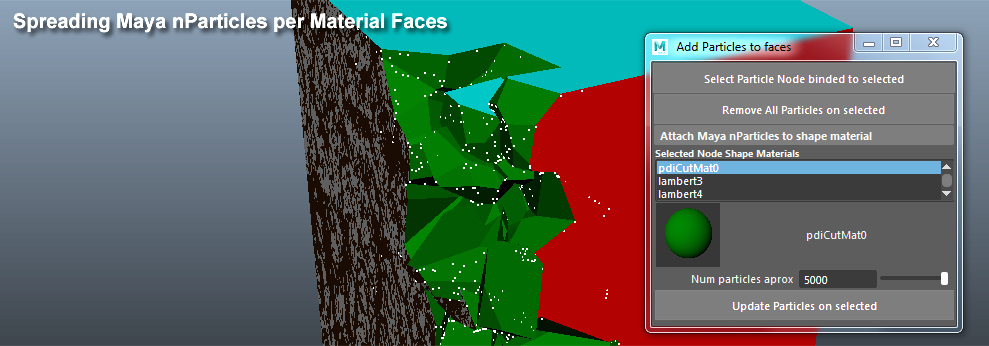
Besides as any realistic destruction effect needs dust around we are glad to introduce a new tool “Attach particles to fragments”, by using this little utility you can stick Maya nParticles to faces per material and therefore emit easily fluids or additional debris from inner faces only, removing the need to go to another DCC tool to paint a white and black map as guide for emission, of course you can still use this classic workflow in Maya, this new tool is just an alternative a fast way to emit from selected faces only, actually this tool can be used for any task you need to attach particles to faces in Maya aside PDI itself.

Esteban Cuesta has done this great tutorial showing some of the enhancements inside Pulldownit 4.5 and featuring how to emit dust from fragments using this new PDI tool along with Maya fluids.

Also several fracture parameters can now be animated if you need to, and we have added a new event to switch cracks propagation mode at desired frame, so you can make your model getting damaged locally for some time and then destroy it completely at specific frame just by enabling this event.

And there are more enhancements regarding usability, a new tool for easier fragments selection when creating clusters from small shards, generation of different takes for standing models getting damaged is now an easy task with the improved behavior of “Static-Only Break” fracture option and quite a few annoying bugs of previous version has been fixed.

Below listed the most relevant highlights in Pulldownit 4.5

 NEW FEATURES                                                                                    

New Tool for adding particles to faces per material, this little utility spread Maya nParticles over faces per material, so you can later emit easily extra debris, dust or smoke only from chosen faces.

emmitMayaParticles

Hi-poly animated meshes 3x times faster update in dynamics, animated or deforming meshes such as character`s skin are now updated very fast during simulation providing a smoother experience when including them in destruction scenes.

New “increase Selection” option for easier clusters creation, selecting groups of small fragments is much easier now using this new tool which select neighboring fragments in the same area just with one click.

“Only Breaks” fracture option captures larger cracks and detachments, this useful feature forces the model to stand while being impacted, its behaviour has been improved so now it can generate larger cracks and detachments when they doesn’t jeopardize the overall structure, this effect is more noticeable when using it in conjunction with Clusterize level.

onlyBreak_clusterizePlates.png

Fracture body Friction, Bounciness, Sec cracks and Damping parameters can be animated, get more artistic control over your fracture simulation by animating these parameters if needed.

Rigid body Friction, Bounciness, and Mass parameters can be animated, get more artisitic control over your rigid bodies simulations by animating these parameters if needed.

Added ability to change propagation scheme at frame, user can now damage an object only locally for some time then change to continuous propagation at desired frame to break it completely.

local2continuosFracture

New option to show/hide/select all disabled rigid bodies in scene, it is easy to lost track of disabled rigid bodies, with this handy new option you can select all at once to enable or delete them or hide from the viewport all disabled rigid bodies with just one click

Adquire Shatter can transfer animation from single shape node to multi shape nodes, transferring fragments animation to nodes with multiple combined shapes is now supported by Shatterit tool.

Read the full list of fixes in the Pulldownit web site version logs