Pulldownit Update 3.8

MD_Banner3-8c

This update counts with a bunch of fixes and enhancements, making the plugin more reliable and quick in production environments, surely users will appreciate the fast Undo Last Shatter operation or the outstanding Jaggy feature now preserving UVs of the original faces, and other useful improvements you can read below.

But this update is specially about Wood Splinters Shatter, we have developed a new scheme for it so now you get allways long, thin fragments even when reshattering areas, adding to this a stable dynamics and the Jaggy feature to apply roughness in the inner faces, you can get quite natural wood destruction effects very fast. Here some demos and a great tutorial by Esteban Cuesta about it.


Video Tutorial: Destroying a wooden pier in 3D Max


Video Tutorial: Destroying a wooden pier in Maya


version 3.8 Enhancements:

  • New Wood Splinters Reshattering scheme
  • New “detect mesh groups” shatter option for shattering correctly combined meshes
  • Jagginess preserve UVs of original faces( single and multi uvs)PreserveUVs
  • Cut Material->new allows to update the material of current shatter group
  • original object is auto selected after Shatter it->Undo All
  • AutoSelect the fracture body in list corrersponding to current selected fragment
  • Improved performance drawing of fragments in 3d Max
  • Shatter Undo Last is now a fast operation
  • Support VP 2.0 Core profile mode in Maya( rest of modes were already supported)
  • Support Maya 2016 Parallel mode
  • PDI keys uses 30% less RAM in Maya getting the playback of massive rbd scenes faster.

Read the full list of fixes in the Pulldownit web site version logs


Tips & Tricks: Setting Initial States for rigid bodies

When working with groups of objects many times you would like the objects appearing in scene scattered over the ground here and there or starting at random positions, this is done very easily wiht Pulldownit by setting initial states for rigid bodies. This is the procedure:

logsArrayV2

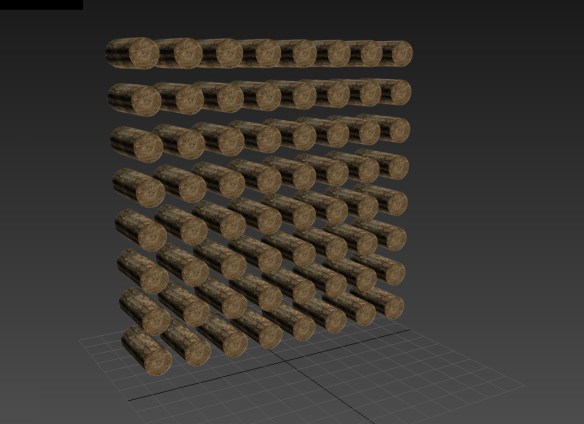
Lets say you start with a grid of objects you have created by cloning a single one using the duplicate tool of your 3D Platform.

Now you have to select all of them and create a dynamic rigid body for each object and then open the Dynamics properties window and set an initial velocity of (4,4,4) also set random values of (200,200,200), make the same for the initial angular velocities if you want random orientations aswell.

initialVelocityWindow

Now set your time range to about 10 frames  and play the simulation, you can also disable gravity if you prefer.

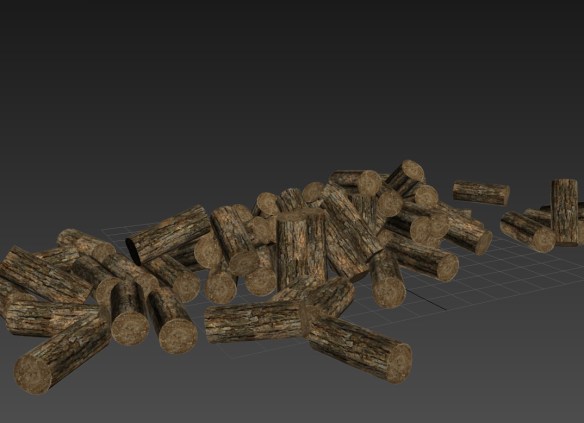
logsArrayRandomV2

Ok, perfect, at the last frame all the objects has modified  quite a few  its initial position and orientation, now we have just to set this configuration as the initial state for the rigid bodies, for doing this, you have to bake keys for the simulation if you havent done it yet and after that click on Delete All Pdi bodies in the Manage Pdi World Window.

Now select all objects and move the slider to the last frame of the simulation, follow by deleting all keys for the objects, and you are done.

From here you can start a new simulation to drop the objects and scatter them over the ground, for this just set a dynamic rigid body for each object as before, open Pdi Simulation Options and enable Use Grid as Ground , make sure gravity is enabled this time, now set the extend of the simulation to 200 frames or so and launch it.

logsScatteredV2

Nice, at frame 200 you get your objects stacked in a natural way, now you can set this configuration again as the intitial state of rigid bodies as we did before.


Explorer of New Worlds Challenge Winners Announced

Humster3d competition “Explorer of New Worlds ” announces the winners, each of them will receive  a Pulldownit Pro license among other valuable prices,

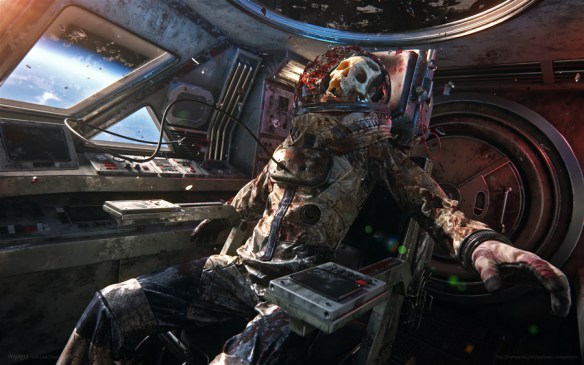
First Place: Voyager by Luis Lara

Voyager_blog

Tools used: 3ds Max, Zbrush, Substance Designer, Corona and After Effects

Second Place: Child dream by Evgeniy Shatohin

Child_dream_blog.jpg

Tools used: 3ds max, Mudbox, Corona renderer, Marvelous Designer and Photoshop

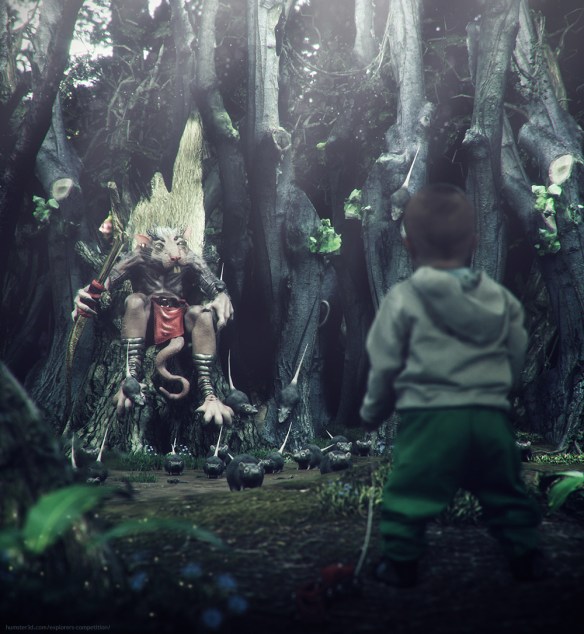
Thinkinetic Team Choice: Exploring the Rat Kingdom by Sedat Açıklar

Rat_Kingdom.jpg

congratulations to all of them!, more info and other awarded images in the oficial site,

Explorer of New Worlds Winners Announced


Thinkinetic sponsor of Hum3D Competition

HD_Banner_Station

Thinkinetic is proud sponsor of “Explorer of the New Worlds” challenge by Hum3D,

Think out and create in any 3D software an explorer of new worlds at the time of his or her adventures and create also some environment around him. You can summit your work until 16 May.

Pulldownit Pro license is one of the valuable prizes and there are plenty of them, in addtion to one node-locked license of Pulldownit Pro for the best video or picture with your character in the WIP forum.

Those interested can check rules and prizes here:

http://humster3d.com/explorers-competition/


Chang Metamorphosis by Artem Paramonov

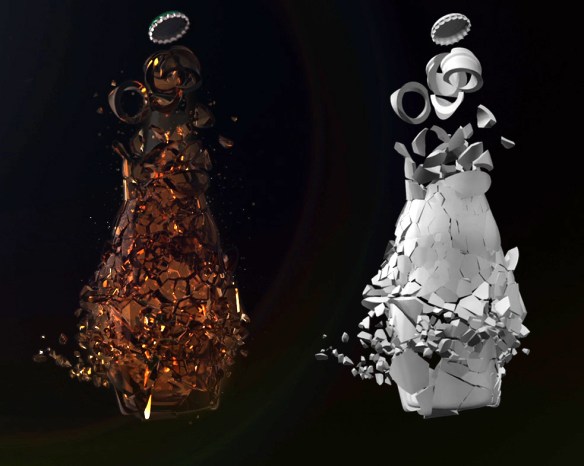
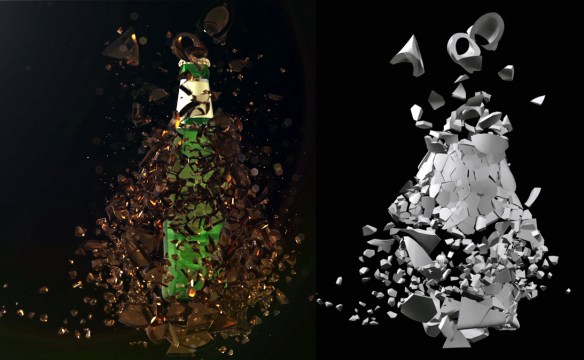
Artem Paramonov show us this great breakdown he made for a Chang beer commercial, Pulldownit was used for shattering the bottle,  Artem kindly explain several technical details below.


My name is Artem Paramonov, I’m senior 3D creative. This project was done for Iris Sydney, we’ve got a brief from the client to create a stunning animation of a bottle being shattered. The most difficult part of it was of course the simulation itself, and this is where PulldownIt did what it does best – simplified everything.

The tricky part was to make shattering simulation controllable, to start in specific areas and follow up with a general explosion. We also wanted to do it in a bullet time manner to make it look a bit more dramatic. So we, basically, had 2 waves of explosion – first to break apart everything and second to blow all pieces off the screen.

compo1

It was really great being able to define how bottle will be shattered, where the big chunks will form and where we will get the small pieces. Now, slowing down the existing animation and then speeding it up could be generally quite tricky, so once I was happy with simulation results I baked everything into a keyframes and after that into a geometry cache – this gave me a flexibility to re-time it the way I wanted to. Shockwave effects were created later on in After Effects with a standard effect called CC Ripple Pulse. After rendering primary simulation I also rendered a still 2k image, to use different pieces for 2D particles and “dust”. Finally assembling everything in After Effects.

compo2b

Overall experience with Pulldownit is just so sleek – that I was even a bit overwhelmed when I got my results that fast. I could play with it for weeks – it is very enjoyable to use it. It is stable, predictable and it just Works!

Breaking Letters Demos by Esteban Cuesta

These are the  breaking letters demos Esteban Cuesta made  as a final example of his tutorials on shattering text with Pulldownit plugin, you can find this tutorial a couple of articles below. Esteban Cuesta kindly explains some details about the making steps.


I wanted to make a video as a final demostration of my breaking letters tutorials with Pulldownit 3.7, I designed demo #1 as a classic letters intro, quick and lively, the motion of each word is animated until it touch the word below, then I activate the fracture bodies so pieces of letters start to crumble and fall, I used a Wind field to stress the debris falling effect. The final destruction was as easy as animating the word “Pulldownit” so it pass through the whole text and set it is a kinematic rigid body but I switched to “Convex hull” Bounding Volume to speed up the testing, the dynamics looked good anyway so I used it for the final shot too.

Doing the first shot wasn’t difficult at all and pretty funny, this encouraged me to make a longer one. This time a decided to add a plate showing the different shatter styles of Pulldownit with letters, all styles except “Wood splinters” as I think this style doesn’t make sense for letters.


All sets are done in the same way, using the 3D Max text tool to generate each word and making the endings fit each other simply by adjusting text size and kerning, and then collapsing all the words in a single poly object. At this point I applied the intended shatter style and create a fracture body for all pieces. For the Radial style plate I used an animated sphere to trigger the destruction, I simply hid it when rendering the scene, for the Path style I used the great crackers objects of Pulldownit as triggers, the rest of plates uses a Wind field to trigger the destruction, animating its Strength in order to get a increasing amount of falling debris.

Rendering was done using Mental ray in 3D Max, applying a high reflectance material to the letters and a less polished glossy material with the same colour to the inner faces after breaking.

Pulldownit worked very well , I haven’t any issue aside tweaking the parameters to get the dynamic behavior I wanted, It was very intuitive and fast computing using it.

2015 blog review

Happy new year from Thinkinetic, glad to tell you this blog has got about 18,000 views in 2015, thats quite a lot for this kind of blog, we are proud of it and like to share some stats with  our readers, thank you to WordPress team for providing us the annual stats.

These are the posts that got the most views in 2015:

1- Pulldownit update 3.5 with new features

2- Breaking columns with Pulldownit 3 and adding particles debris

3- UFO attacks “Puerta de Alcalá”

The busiest day of the year was November 2nd with 359 views. The most popular post that day was Pulldownit update 3.5 with new features. Our readers come from 145 countries, wow, most of them are from United States, India and Japan.

BlogAudienceShart2015

So we will continue announcing in this blog all our news and publishing quality case studies and tutorials about the use of Pulldownit plugin, Thank you for following us.


Pulldownit Update 3.7

MD_Banner3-7b

Our main focus in this update has been to increase plugin reliablity and improve to the maximum several already outstanding features. All reported bugs so far have been fixed, working with hi-poly meshes for shatter and dynamics is faster and several options for fracturing has been adjusted following users experience, thanks to all that contribute to continuously improve Pulldownit plugin.

Besides Shatterit tool has been enhanced to break holed shapes like 3D letters correctly, watch shattering  letters intro and video tutorials by Esteban Cuesta

Shattering Letters 3D Max Video Tutorial

Shattering Letters Maya Video Tutorial


v 3.7 Enhancements:

  • Perfect shattering of holed concave shapes like 3D letters
  • 20% speed up shatter for hi-poly meshes
  • Improved behavior of fracture bodies option “Break Upon Impact” specially with force fields
  • “Force convex shapes” is now the default for fracture bodies creation, allowing very fast and stable fracture dynamics in most cases.

Fixes for 3ds Max plugin:

  • Fixed rigid body masses overrided after reseting scene
  • Fixed jagginess doesnt apply to fragments with multi uvs
  • Fixed shatter crash when non-convex faces are present
  • Fixed seed 0 doesnt generate diferent point cloud each time
  • Fixed Radial shatter generated aligned points on the borders
  • Fixed fragments slide weirdly on the grid plane
  • Fixed 3d Max crash when apply jagginess to concave faces
  • Fixed 3d Max crash sometimes after making scene->new and resetting simulation
  • Fixed 3d Max crash after shattering an object with modifiers applied sometimes
  • Fixed shatter preview point cloud weird displacement with excentric objects
  • Fixed Fracture bodies attach nearby fragments each other regardless threshold sometimes
  • Fixed Fracture bodies ignores breakable by frame clusters when fragments are sleeping

Fixes For Maya Plugin:

  • Fixed local shatter pivot doesnt fit to surface by default
  • Fixed missed normals for holed faces
  • Fixed seed 0 doesnt generate diferent point cloud each time
  • Fixed hidden scene layers are showed after loading a scene
  • Fixed shatter locator get selection lost when moving it in preview mode
  • Fixed Undo queue turned off after some plugins operations
  • Fixed Radial shatter generated aligned points on the borders
  • Fixed reshatter in preview mode fails when UI units diferent than cm
  • Fixed fragments slide weirdly on the grid plane
  • Fixed shatter preview point cloud weird displacement with excentric objects
  • Fixed Shatter Undo all delete ground grid when there arent Pdi bodies in scene
  • Fixed Fracture bodies attach nearby fragments each other regardless threshold sometimes
  • Fixed Fracture bodies ignores breakable by frame clusters when fragments are sleeping
  • Fixed Advanced fractures window doesnt clean-up after scene new

Quake at St.Lawrence Church By Luis Tejeda

Luis Tejeda has posted a new video showing a cinematic action shot where a church tower collapses during an earthquake. The scene is a recreation of the real environment and setting of the San Lorenzo Church in Cordoba, Spain. Pulldownit 3.5 was used for all destruction effects.

See breakdown in the project page,

http://www.luistejedastudio.com/news